plot_voxel_texture_slice
Note
This page is a reference documentation. It only explains the function signature, and not how to use it. Please refer to the Habitat Guide and Python API guide (v2.0) for usage.
- plot_voxel_texture_slice(feature_map: np.ndarray | 'VoxelFeatureField' | object, *, anatomy: np.ndarray | object | None = None, roi_mask: np.ndarray | object | None = None, feature: str | int | None = None, axis: int | None = None, index: int | None = None, mode: LayoutMode = 'overlay', cmap: str = 'magma', alpha: float = 1.0, vmin: float | None = None, vmax: float | None = None, title: str | None = None, feature_label: str | None = None, direction: Sequence[float] | None = None, spacing: Sequence[float] | None = None, display_convention: DisplayConvention = 'radiological', roi_contour: bool = True, feature_contour: bool = True, colorbar: ColorbarSpec = True, crop_to: str = 'none', crop_pad: int = 6) Figure[source]
Display a voxel-level texture / feature map as 2D publication panels.
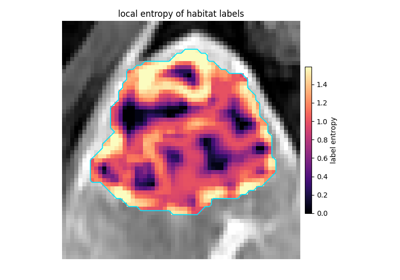
Accepts either a dense 2D/3D map (e.g. output of
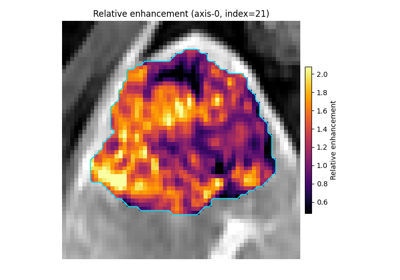
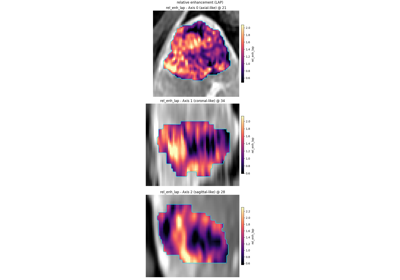
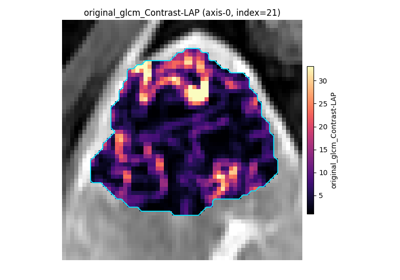
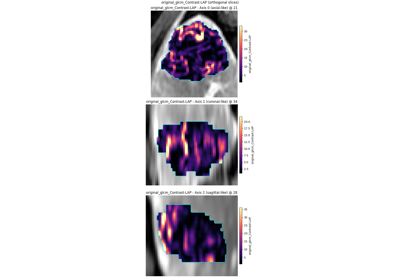
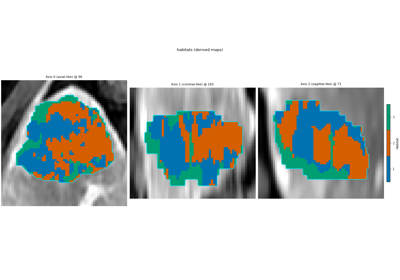
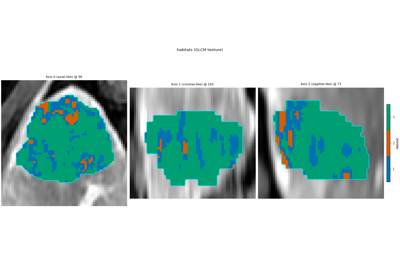
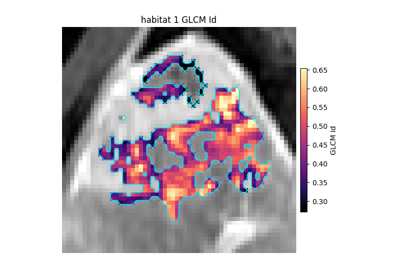
local_entropy_map()) or a sparseVoxelFeatureField(e.g. from thelocal_entropy/voxel_radiomicsextractors). Prefer Defaultmode="overlay": greyscale anatomy everywhere, opaque feature colours inside the ROI, optional cyan ROI contour. Outside-ROI voxels stay grey anatomy (not a translucent blend). Passalpha<1only when a see-through overlay is wanted.mode="side_by_side"adds a sibling anatomy panel (contour OK) next to a standalone feature map. Outside-ROI / non-finite voxels stay masked on the feature panel.For 3D volumes the default is three orthogonal panels through the densest ROI (or densest finite-feature) slice. Pass
axis/indexto pin one plane (index=Nonestill auto-selects the densest slice on that axis).This API is 2D-slice only (matplotlib). It does not provide 3D volume rendering; use external viewers if you need full volumetric browsing of a texture map.
- Parameters:
feature_map – Dense feature volume, or a
VoxelFeatureField. Objects with a.dataattribute (e.g.ImageVolume) are also accepted as dense maps.anatomy – Optional greyscale companion panel (same shape).
roi_mask – Optional ROI mask (
> 0inside). Used for auto slice selection, to hide outside-ROI feature values, and for contours.feature – Column name or index when
feature_mapis a field.axis – If set, draw only this NumPy axis (
0,1, or2).index – Slice index along
axis; densest support when omitted.mode –
"overlay"(default; opaque feature on anatomy),"side_by_side"(anatomy sibling + feature), or"feature_only".cmap – Matplotlib colormap name for the feature values.
alpha – Feature opacity when
mode="overlay"(default1.0= opaque inside the ROI). Use a value in(0, 1)only for an explicit translucent blend.vmin – Optional colourscale lower bound (else 2nd percentile).
vmax – Optional colourscale upper bound (else 98th percentile).
title – Optional figure title (ASCII-sanitised).
feature_label – Colourbar / panel label; defaults to the feature name or
"Voxel texture".direction – Optional SimpleITK direction cosines (9 floats). Prefer passing
anatomy/roi_maskas volume objects (not.data) so geometry is not dropped. When image and mask directions disagree, the mask wins (with a warning).spacing – Optional SimpleITK voxel spacing
(x, y[, z])in mm.display_convention –
"radiological"(default),"neurological", or"native".roi_contour – When
Trueandroi_maskis set, draw the ROI as a cyan outline on the anatomy panel (side_by_side/overlay).feature_contour – When
Trueandroi_maskis set, also outline the ROI on the feature panel.colorbar – Draw a short vertical colorbar (default
True). PassFalseto hide it, or a mapping of style kwargs (shrink,pad,fraction,aspect,ticks,label, …) to override the default.crop_to –
"none"(default) draws the full field of view;"roi"zooms every panel to the bounding box ofroi_maskso a small lesion fills the frame. Display-only zoom: values, spacing and orientation are unchanged.crop_pad – Voxels of anatomical context kept around the bounding box when
crop_to="roi"(default6).
- Returns:
A matplotlib
Figure. The caller owns persistence / display.- Raises:
HABITAPIError – On shape / parameter errors.
OptionalDependencyError – When matplotlib is not installed.